You hit send, then wince. The email sounded fine in your head, but on screen it reads cold, messy, or confusing. An AI email rewriter can fix that in seconds.
This guide explains how the tool works, shows real before-and-after examples, and lists the mistakes that waste time. You will also learn how to choose a tool and keep your own voice.
Table of Contents
AI Email Rewriter: Transform Emails Into Professional Writing!
An AI email rewriter takes your draft and returns a cleaner version. It adjusts tone, trims extra words, fixes grammar, and sharpens the main request. You keep the facts. The tool changes how those facts sound. For many people, that means fewer awkward follow-ups and faster replies.
Email still runs the workplace. According to reports from the Radicati Group, people sent roughly 347 billion emails every day in 2023. Meanwhile, a 2012 McKinsey Global Institute study estimated that knowledge workers spend about 28% of their workweek on email. Therefore, even small improvements in writing speed add up quickly.
Quick Answer
The fastest way to improve an email is simple. Paste your draft into the tool, name the audience, choose a tone, and ask for a rewrite that keeps your request intact. Then read the result and edit it. Most good rewrites take under two minutes.
However, the tool is only as good as your instructions. A prompt like “make this professional” gives average results. A prompt like “rewrite for my manager, polite but direct, under 100 words, keep the Friday deadline” gives usable results. Specific input leads to specific output.
How To Rewrite Work Emails With An AI Email Rewriter
Start with a rough draft. Do not polish it first. Write what you actually mean, including the deadline, the request, and any background the reader needs. Then add three details for the tool: who will read it, what you want them to do, and how formal the message should be.
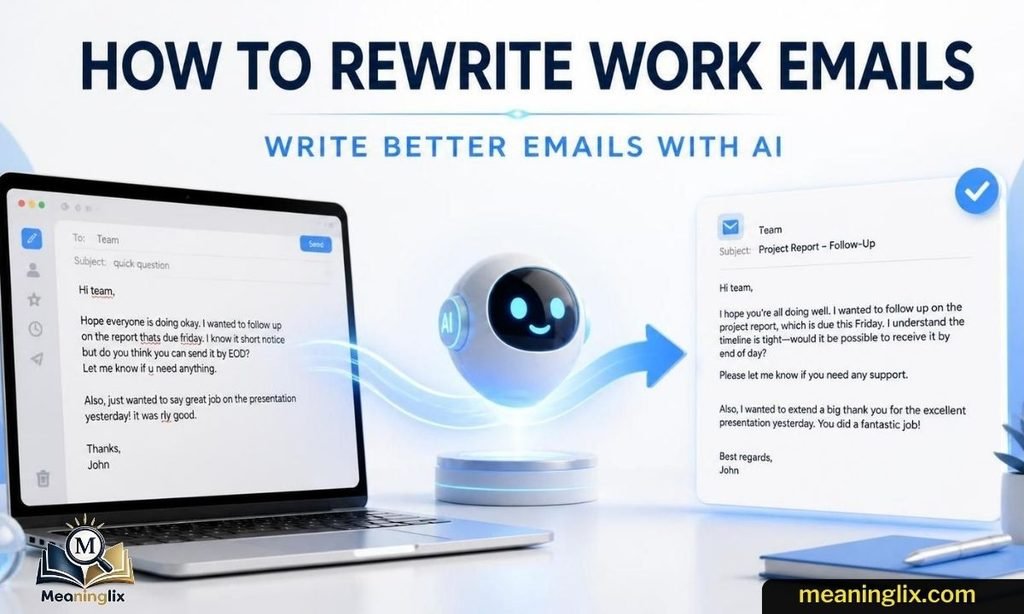
Next, ask for one change at a time if the first result misses. For instance, say “shorter,” “warmer,” or “more firm.” Each follow-up refines the draft without starting over. Additionally, tell the tool what to protect, such as names, dates, numbers, and the main ask.
Finally, review the draft like a skeptical reader. Check every fact. Confirm the tone fits your relationship with the person. Read it aloud once. If a sentence sounds like something you would never say, change it. A good AI email rewriter speeds up your writing. It should not replace your judgment.
Examples
Real examples show the difference best. Each case below pairs a common problem with a stronger version. Notice that the facts stay the same in every pair. Only the structure, tone, and word choice change, which is exactly what a good AI email rewriter should do for you.
Example 1: Too Direct
Before: “Send me the report today. I’m still waiting.”
After: “Hi Dana, could you send the report by 3 p.m. today? I need it for tomorrow’s client meeting. Thank you for your help.”
The rewrite adds a greeting, a reason, and a clear deadline. It is still direct, but it no longer sounds like a complaint.
Example 2: Too Vague
Before: “Let’s talk about the project soon when you have time.”
After: “Could we meet for 20 minutes on Wednesday or Thursday to review the project timeline? Please let me know which time works.”
Vague emails create delays. The rewrite names a duration, offers two options, and ends with a clear next step.
Example 3: Too Long And Messy
Before: A 250-word email that mixes an apology, three questions, and a schedule change.
After: A 90-word email with a short subject line, one bolded question, and a bulleted list of the schedule change.
Long emails bury the request. An AI email rewriter can sort the content by priority, which helps busy readers act faster.
Example 4: Too Translated
Before: “I am writing to inform you that I am doing the needful regarding your esteemed request.”
After: “Thank you for your request. I am working on it and will send an update by Tuesday.”
Phrases translated word for word often sound stiff to U.S. readers. The rewrite uses plain, natural business English and adds a date.
Read Now : OK Noted Meaning in Email
Best AI Email Rewriter For Professional Emails
The best tool depends on your needs. Still, a few features matter for almost everyone. Look for tone controls, length options, grammar correction, and the ability to keep your original meaning. Clear privacy terms also matter, because emails often contain client names, pricing, and internal plans.
Next, test two or three tools with the same draft. Compare the results side by side. Ask yourself which version sounds most like you, which keeps the request clearest, and which needs the fewest edits. Speed matters, but accuracy matters more.
Additionally, consider where you write. Some tools work in a browser tab, while others plug into Gmail or Outlook. The best AI email rewriter for professional emails is the one you will actually use every day. If it slows you down, you will stop using it within a week.
Make This Email Sound Better
Many people search this exact phrase, and the fix usually starts with one question: what is wrong with the draft? Is it too harsh, too wordy, too casual, or unclear? Naming the problem helps the tool respond correctly. “Make this sound better” is a weak prompt. “Make this sound friendlier without losing the deadline” is a strong one.
You can also improve an email before using any tool. Put the main request in the first two lines. Use short sentences. Replace filler such as “just checking in” with a clear purpose. Cut any sentence that does not help the reader act.
Then use the tool for polish. Ask it to adjust tone, shorten the length, or suggest three subject lines. Finally, read the result once more. Small human edits, such as swapping a stiff word for your usual one, make the message feel real. Readers notice authenticity, and it builds trust over time, especially with clients and hiring managers who read dozens of messages a day.
AI Email Rewriter For Professional Emails Free
Free options are easy to find, and they work well for everyday messages. Most free plans cover short rewrites, basic tone changes, and grammar fixes. However, they often limit daily use, text length, or advanced features. For occasional emails, those limits rarely matter.
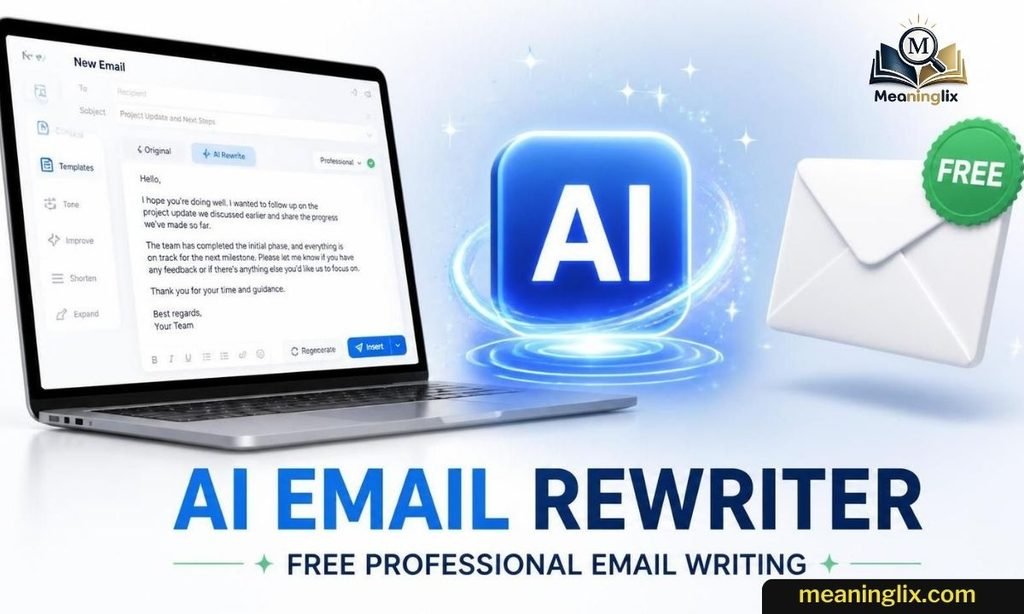
Free does not mean risk-free. Review the privacy policy before pasting anything sensitive. Avoid sharing passwords, financial details, medical information, or confidential client data. Instead, replace real names and numbers with placeholders, then add them back after the rewrite.
Upgrading makes sense when you rewrite emails daily or need longer drafts and team features. Until then, start free. Test it on five real emails. If you save time and your replies improve, you have your answer. If not, you lost nothing but a few minutes.
Common Mistakes
Even a strong tool produces weak emails when used poorly. These five mistakes show up most often.
1. Asking For A Generic Rewrite
A prompt such as “improve this” gives generic output. Add the audience, the goal, the tone, and the length. Four short details turn a bland rewrite into one that fits the situation.
2. Forgetting The Audience
An email to a CEO should not read like a note to a coworker. Likewise, a message to a client needs different wording than one to a friend. Always tell the tool who will read it.
3. Letting The AI Remove The Real Ask
Sometimes a rewrite smooths the tone so much that the request disappears. Before sending, find the action you want the reader to take. If it is missing or buried, put it back.
4. Trusting The First Version Too Quickly
The first draft is a starting point. Tools can change a date, shift a promise, or add a claim you never made. Check every number, name, and commitment before you hit send.
5. Using AI To Hide Unclear Thinking
A rewriter cannot fix a message when you do not know what you want. Decide the goal first. Write one sentence that states it. Then let the tool help you say it well.
Final Takeaway
An AI email rewriter works best as a partner, not a replacement. Give it clear instructions, protect your main request, and review every line before sending. Used this way, it saves time, improves tone, and helps your message get the response you want. Start with one real draft today, compare the rewrite to your original, and keep the changes that sound like you.
Frequently Asked Questions
What is an AI email rewriter?
It is a tool that takes your draft and improves its tone, clarity, grammar, and length while keeping your original meaning.
Is an AI email rewriter safe for work emails?
It can be, if you review the privacy policy and avoid pasting confidential data. Always check the final draft yourself.
Can I use a free AI email rewriter for professional emails?
Yes. Free plans handle most everyday emails, though they may limit daily use, text length, or advanced tone controls.
How do I make an email sound more professional with AI?
Share your audience, goal, and preferred tone, then ask for a rewrite that keeps your main request and key dates.
Will AI make my emails sound robotic?
It can if you accept the first draft. Edit the result and add your usual phrasing so the message sounds like you.

Alisha Lehmann is the founder and author of Meaninglix. She specializes in explaining word meanings, internet slang, abbreviations, grammar, and English expressions in simple, accurate language. Her goal is to help readers improve their vocabulary and communicate confidently through clear, well-researched, and easy-to-understand content.
2 thoughts on “AI Email Rewriter: Transform Emails Into Professional Writing!”